Moodle Resources
4. Using the Discussion Forums
4.2. Forum Feedback: Whole Forum Grading
Whole Forum Grading allows facilitators to assess each person’s forum posts as a whole rather than applying a rating to each individual post.
To see your points and facilitator feedback, click on the "View grades" button below the forum directions and above the beginning of the list of posts.
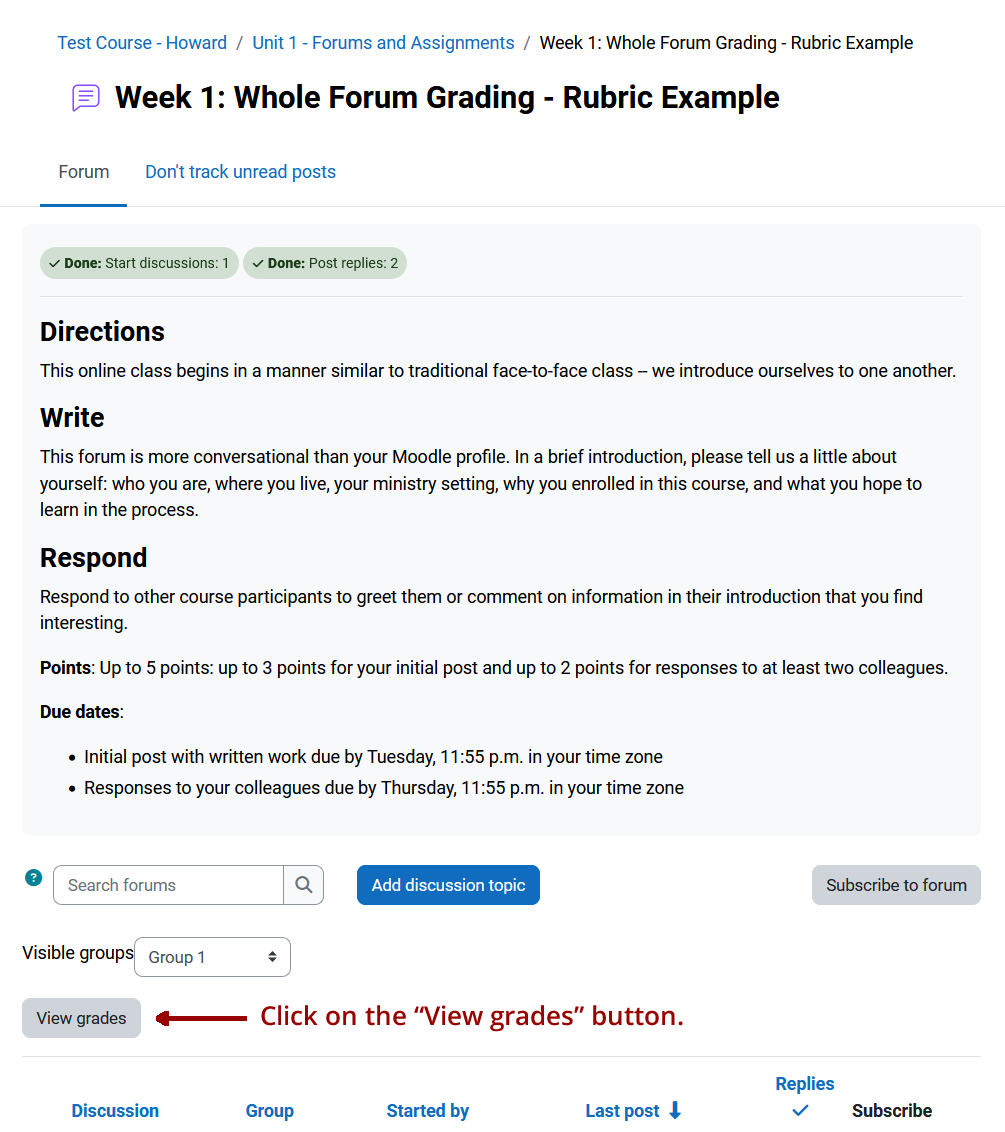
An overlay window will open with points and feedback.
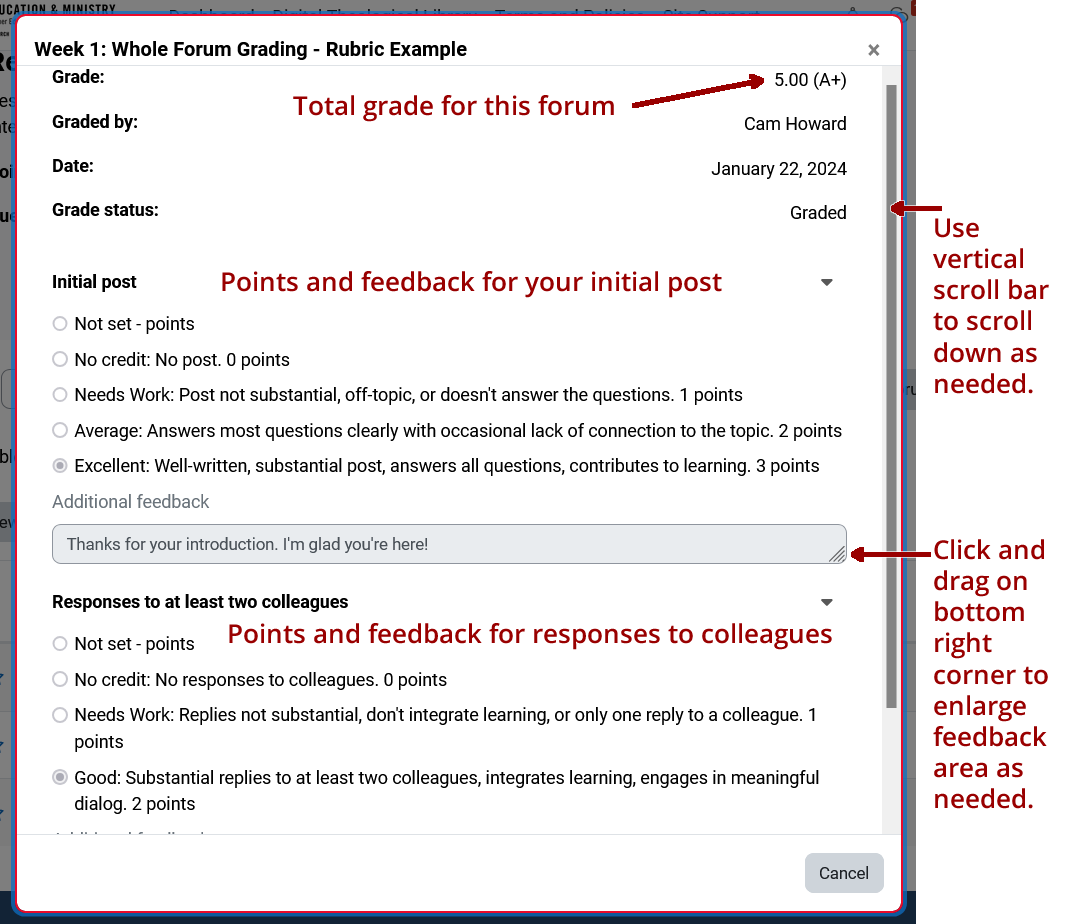
The total number of points and graded earned for all posts in the forum will display at the top right, followed by feedback for your initial post and your responses to colleagues.
Use the vertical scroll bar on the right to scroll down as needed.
Click and drag on the lower right corner of the feedback area to enlarge it if the feedback is longer than one line.
The screenshot below illustrates the overlay window when a rubric is used. If a rubric is not used, the overlay will look a bit different, but the same principles apply.
The grade will also be added to the gradebook, but the feedback will only display here, in the forum itself.