
Moodle Resources
Condições de conclusão
7. Moodle Messages
Faculty, staff, and students may send and receive private messages to one another via a Moodle Message.
Message settings
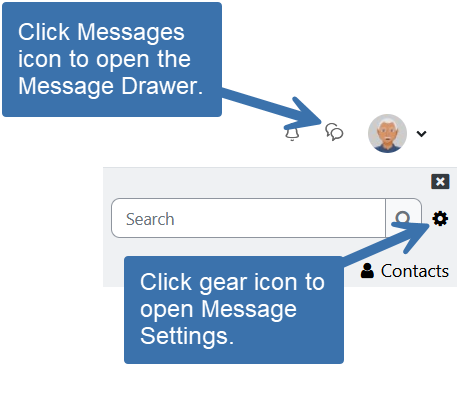 Click on the Messages icon in the Navigation Bar to open the Message Drawer
 - If you click on the messages icon and nothing happens, it may be a setting in your browser and clearing the browser cache generally helps.
- Hold down the Shift key, click on the "Reload" or "Refresh" icon in the browser, and then release the Shift key. When the page reloads, click on the messages icon.
- Click on the gear icon to open the Settings options where you can set you privacy settings, notification preferences, and the option to press enter to send messages.